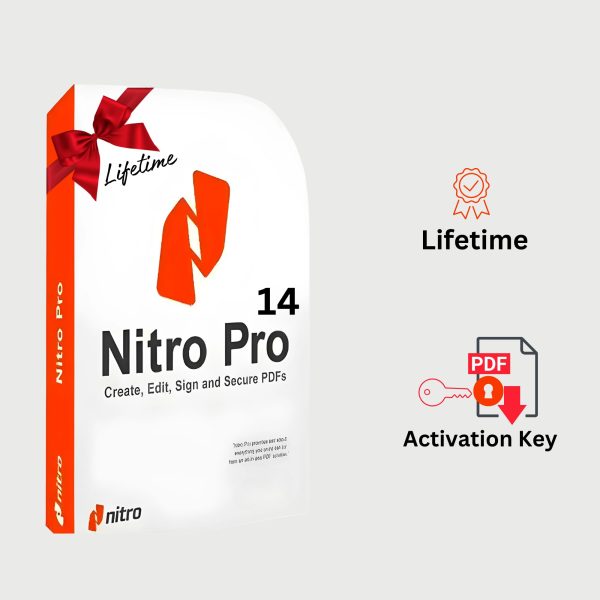
A worthy alternative to Adobe Acrobat. Its powerful tools enable a wide range of PDF manipulations, including PDF creation, conversion, editing, merging, adding watermarks, creating PDF forms, and saving 100% standard PDF files. Winner of multiple awards and recognized as a best-in-class product, Nitro Pro is designed specifically for business users and makes working with PDFs faster and easier than ever before.
The application boasts exceptional performance. A redesigned user interface in the style of Microsoft Office and the ability to preview PDF files in third-party programs (including Windows Explorer, Outlook, or a web browser) allow users to work even more productively.
In editing mode, Nitro Pro allows you to break document text into paragraphs, simplifying necessary edits. Powerful scaling tools allow you to enlarge a document by up to 6400% of its original size. And the updated Nitro Renderer engine guarantees improved text and graphics rendering quality.
Business users will appreciate the product’s tight integration with enterprise document management systems (such as Microsoft SharePoint and iManage Worksite). PDF documents can be opened and saved directly from the interface of supported applications. The Enterprise Deployment Utility is also included, simplifying deployment of Nitro Pro 7 across the enterprise network.
The excellent security mechanisms deserve special mention. During the print preparation phase, the application automatically detects and blocks any confidential information, whether text or images. Digital Signature Profiles and the QuickSign engine allow you to add digital and handwritten signatures to documents.
Nitro Pro Features:
• Create PDF documents from over 300 file types
• Convert and combine multiple files into one PDF document
• Batch mode for converting files to PDF
• Scan to PDF
• Create PDF from Microsoft Word, Excel, and PowerPoint with a single click
• Automatically create smart PDF documents with bookmarks, links, metadata, and protection from Microsoft Office
• Copy text with formatting
• Export PDF for later use in Microsoft Word, WordPerfect, OpenOffice, and other office programs
• Full export of text and images from a PDF document
• Batch mode for converting multiple documents
• Insert and edit text, including fonts, colors, size, etc.
• Editing images – deleting, adding, resizing, rotating, cropping, replacing and extracting
• Editing image parameters – brightness, contrast, saturation, etc.
• Edit PDF document pages – insert, delete, rotate, crop, extract and replace elements
• Add headers, footers, watermarks and text to all document pages
• Add and edit bookmarks and hyperlinks
• Automatically create links based on keywords and page numbers
• Optimize, compress and repair PDF documents
• Edit document properties, including metadata and initial viewing settings
• Highlight text content using the highlight, underline and strikethrough tools
• Manually add drawings using the Pencil tool
• Add shapes for your drawings, such as lines, arrows, rectangles, ovals, polygons and clouds
• Add marks to document pages
• Ability to attach documents
• Add text for feedback
• Sorting and managing comments
• Sending a document to a printer